
Online classes for SHS students
SobelLMS runs a school's online lessons: students register and pay for their subjects, join live lessons, read notes, hand in assignments, take quizzes and see their results.
For vacation schools, extra classes and tutorial centres. Students and teachers use their phones. Nothing to install.
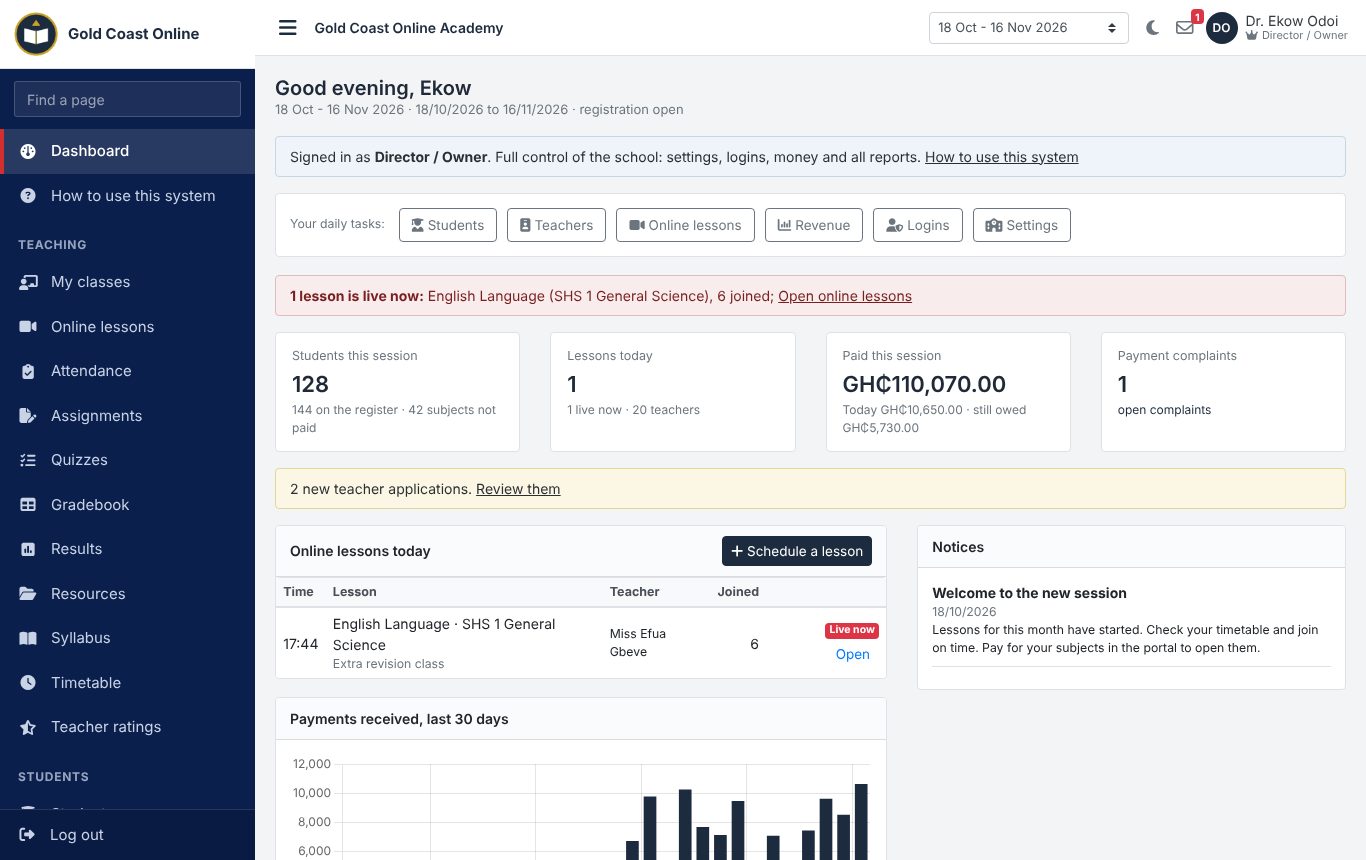
What the system does
The main parts, with screens from a sample school.
Live online lessons
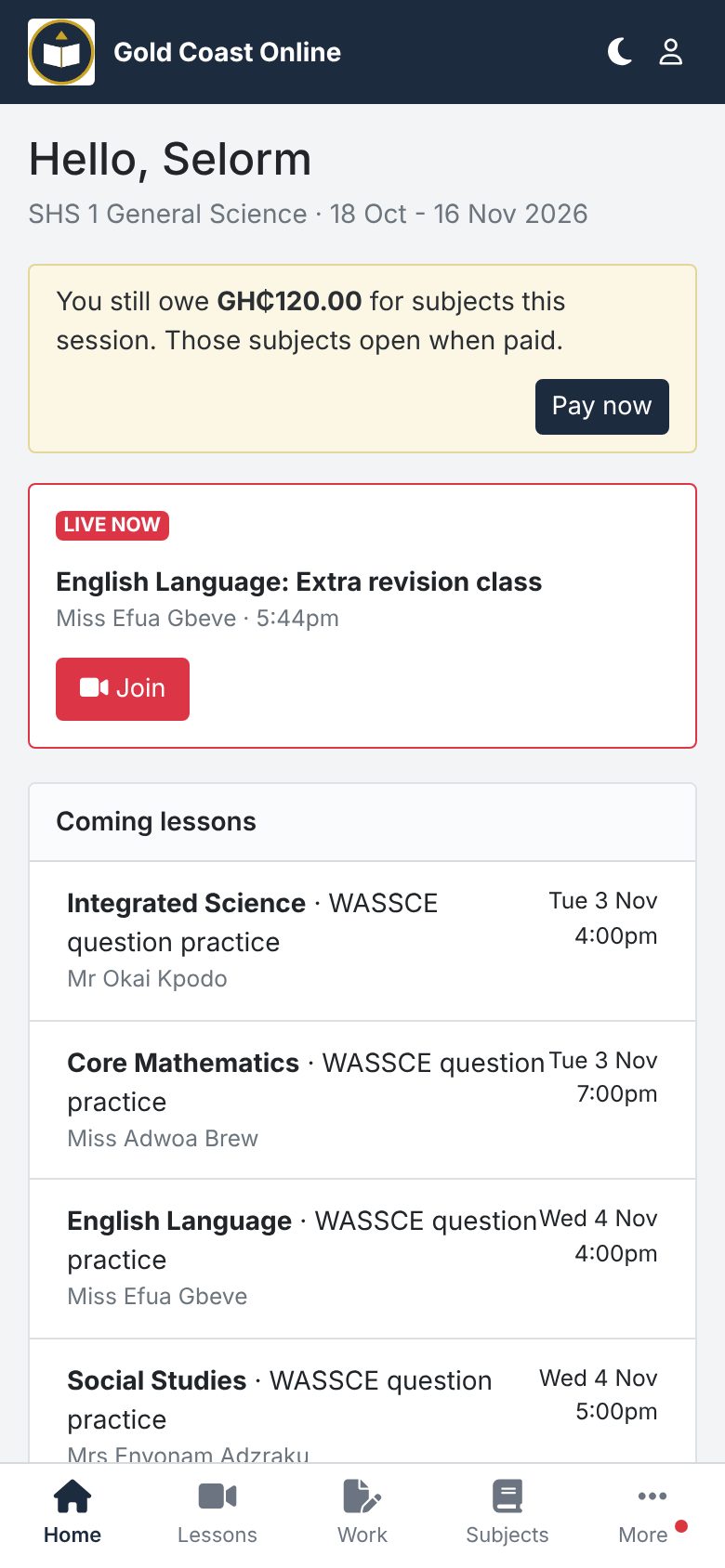
Teachers schedule lessons with their Google Meet, Zoom or Teams link, or a free Jitsi room made by the system. When the teacher starts the lesson, students see "Live now" and a Join button. Joining marks the student present.
- Repeat a lesson every week, or make the week's lessons from the timetable
- SMS reminders to the students of a class
- Recordings added after the lesson for students who missed it
- Attendance report for every class and subject
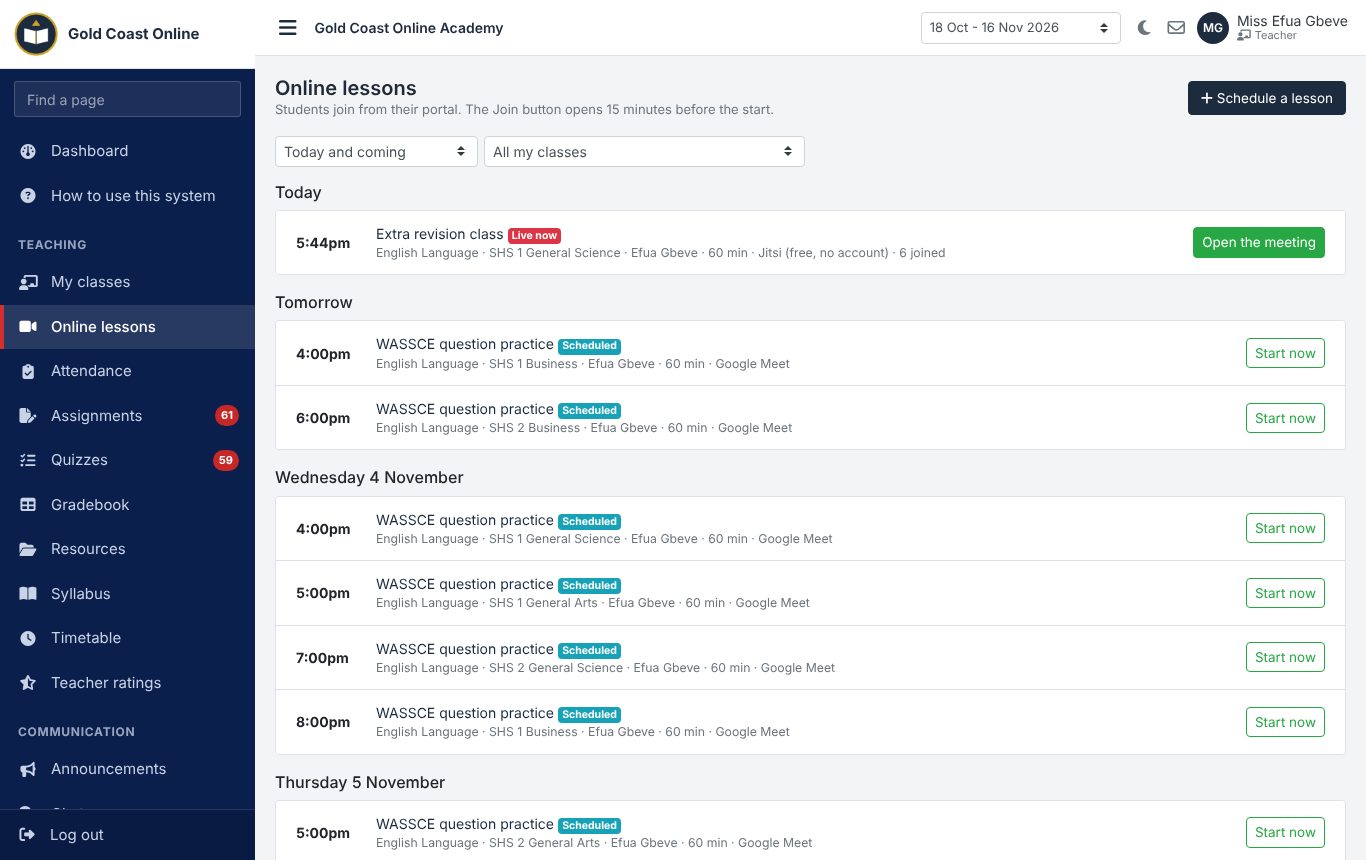
Registration and payment
Students register on the school's own page, choose their subjects and pay by Mobile Money or card through the school's Paystack account. Each subject opens as soon as it is paid. The office can also take cash and print a receipt.
- Fee per subject for each session (a month, a vacation or a term)
- Students who paid but whose subject did not open can report it; the office checks it with Paystack
- Scholarships: let a student in without paying
- Unpaid list with SMS reminders
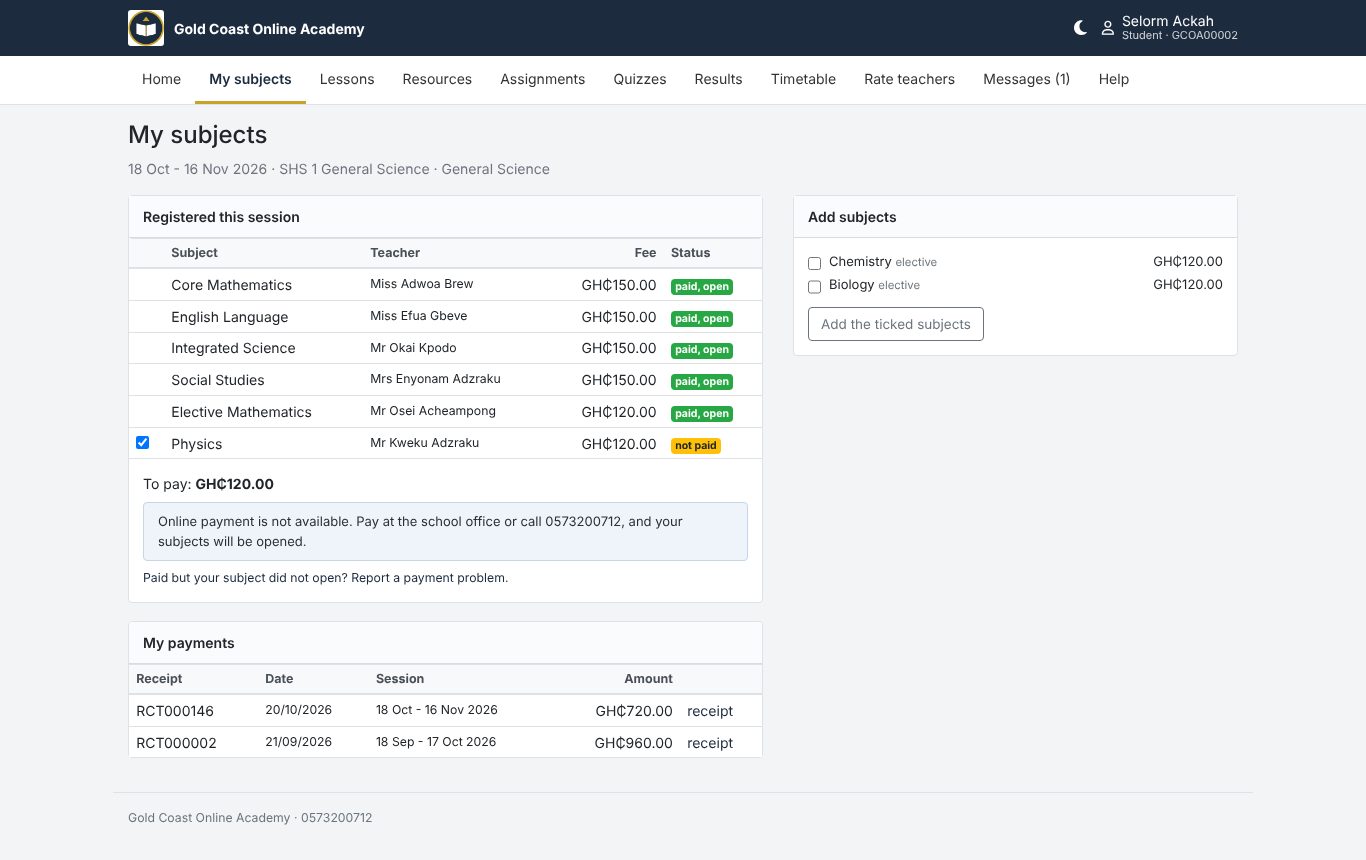
Assignments, quizzes and results
Teachers post notes and past questions, set assignments and build quizzes with multiple-choice, true or false and short answers. Quizzes run with a timer and count how often a student leaves the page. Marks feed the gradebook.
- Class score worked out from assignments and quizzes
- WASSCE grades A1 to F9, or your own
- Results published to students with a printable result slip
- Week-by-week syllabus for every subject
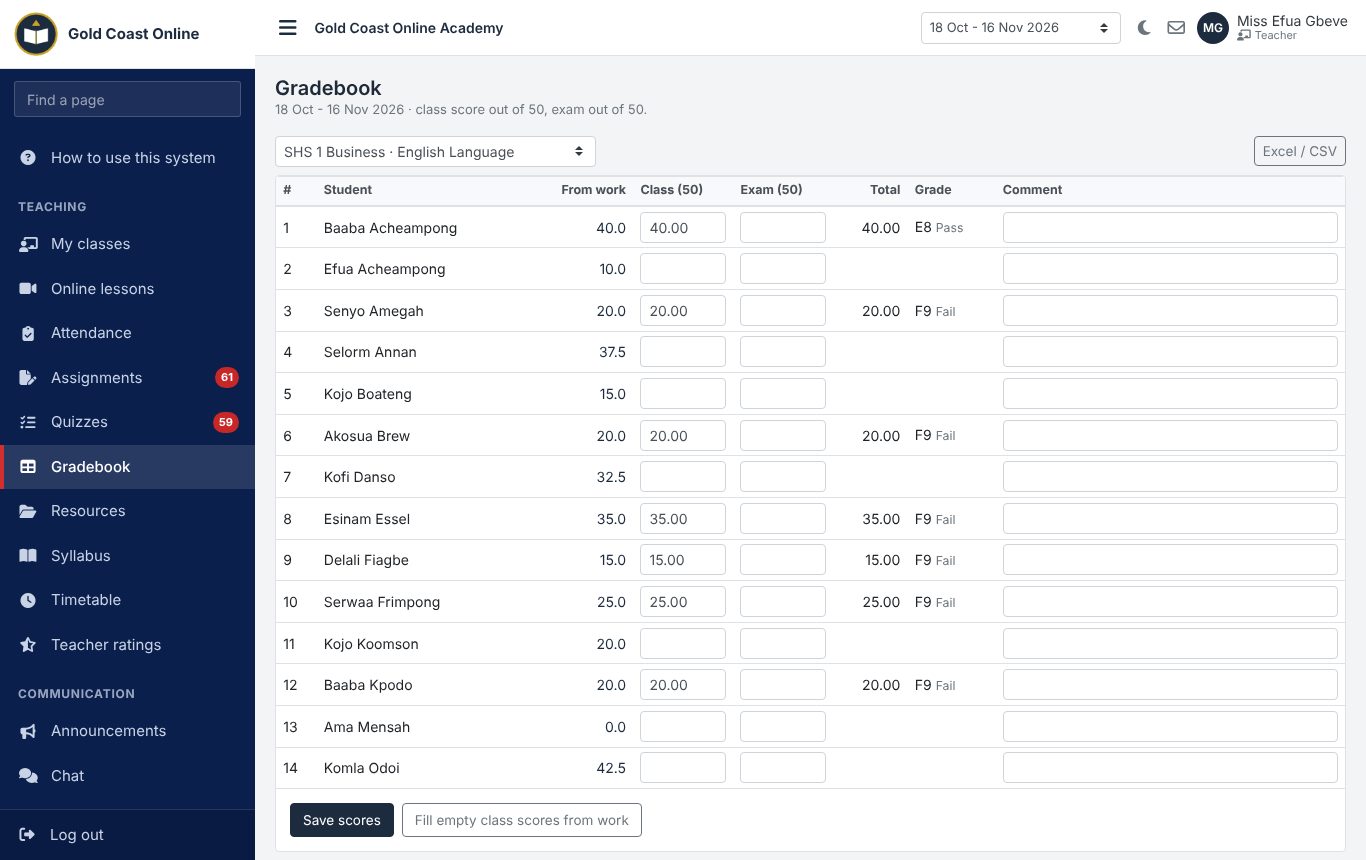
Teachers and their pay
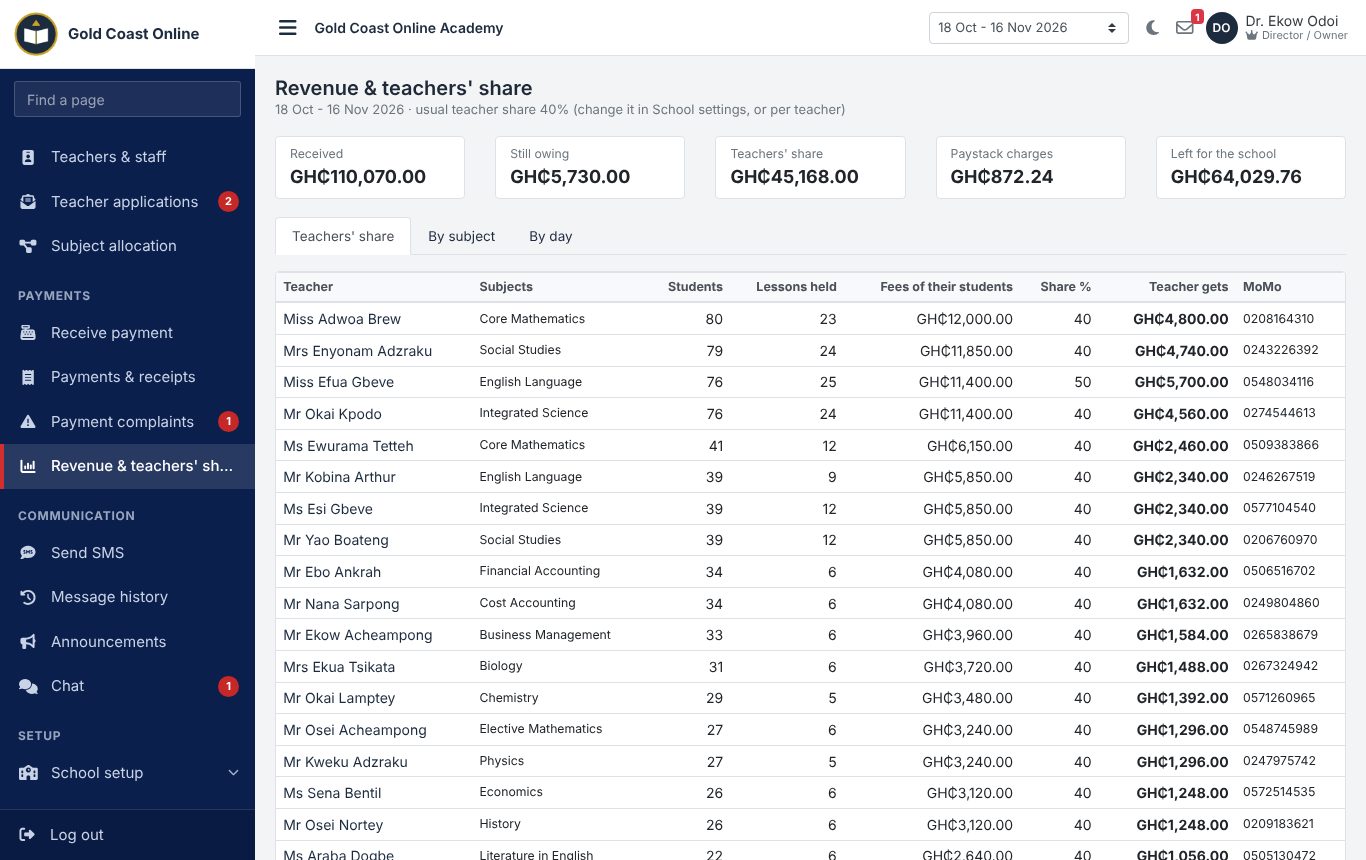
Teachers apply on your page; approve them and give them classes and subjects. The system works out each teacher's share of the fees paid by their students, so you know what to pay each one at the end of the session.
- Share set for the school or for each teacher
- Lessons held and students taught for every teacher
- Students rate their teachers each session, without their names showing
- Chat between students, teachers and the office
Students on their phones
Students sign in with their student number. They see today's lessons with a Join button, work due, notes and videos, results and receipts.
- Login details sent by SMS when they register
- Notices from the school and from their teachers
- Login slips printed for a whole class
Also in the system
A public page for each school with its subjects, fees and teachers; import of students from Excel; weekly timetable without clashes; announcements; SMS to classes or to students who owe; promotion from SHS 1 to SHS 3; and a separate login for the director, administrator, academic head, accounts officer and every teacher.
Pricing
Set-up and staff training are included. We confirm the price for your school when we call you.
| Plan | Price | Students | SMS units | Includes | |
|---|---|---|---|---|---|
| Starter | Ask us | up to 200 | 200 | Assignments, quizzes and gradebook, Resources and syllabus, Subject registration and payments | Apply |
| Standard | Ask us | up to 800 | 1,000 | Assignments, quizzes and gradebook, Resources and syllabus, SMS, announcements and chat, Subject registration and payments, Timetable | Apply |
| Premium | Ask us | no limit | 3,000 | Assignments, quizzes and gradebook, Resources and syllabus, SMS, announcements and chat, Subject registration and payments, Teacher ratings, Timetable | Apply |
Getting started
- Apply. Fill in the short form below. You will get an SMS with a reference number.
- We call you. We agree the plan and price with you and fix a day to set up the school and train your staff.
- Your school is created. With your logo and colours. The school administrator gets the sign-in details by SMS.
- Add your subjects, fees and teachers. Give each teacher their classes. Share your school\'s page link with students: they register and pay there, and you are ready for the first lesson.
What you need to have ready
- The subjects you teach and the fee for each
- Your teachers' names and phone numbers
- The dates of your first session (a month or a vacation)
- Your logo, and a Paystack account if students will pay online
To see how it all works before you apply, read the user manual (PDF).
Apply for your school
We will call you to agree the plan and set up the school. Fields marked * are needed.
Questions schools ask
Do we need Zoom or Google Meet?
Teachers can use their own Google Meet, Zoom or Teams link. If they have none, the system makes a free Jitsi meeting room for each lesson, which needs no account.
How do students pay?
By Mobile Money or card through the school's own Paystack account, so the money goes straight to the school. A subject opens the moment it is paid. Cash paid at the office is recorded by the accounts officer.
Can a student take only some subjects?
Yes. Each subject has its own fee. Students pay for the subjects they want; electives are limited to their programme.
How do we pay our teachers?
Set the teachers' share of fees (for example 40%). The revenue page shows what each teacher earned from the students they taught in the session.
Can students cheat in quizzes?
Quizzes have a timer, mix the order of questions and count every time a student leaves the quiz page. The teacher sees the count next to the score.
How are SMS paid for?
Buy SMS units from us, or use the school's own Arkesel account. Logins, receipts, lesson reminders and results notices can go by SMS.
Who can see our records?
Only your own staff and students can sign in to your school, and each person sees only what their role allows. Teachers see only their own classes.
How long does it take to start?
Usually a day or two after we receive your application.
Contact us
Ask a question, or ask us to come and show the system to your staff.
Already using the system? Sign in to your school.